
Module : accordéon
Un accordéon permet d’ajouter du contenu visible uniquement si l’internaute clique dessus. Ainsi vous allez pouvoir insérer une succession d’informations en rendant la lecture plus fluide pour l’internaute.
Lorsqu’un accordéon s’ouvre, le précédent se ferme. C’est idéal pour construire une page de FAQ (Foire aux Questions) ou pour améliorer une partie de votre page de vente.
Le module « Accordéon » de Divi est entièrement personnalisable : couleurs, icônes, titres, coins arrondis etc.
Votre titre va ici
Your content goes here. Edit or remove this text inline or in the module Content settings. You can also style every aspect of this content in the module Design settings and even apply custom CSS to this text in the module Advanced settings.
Votre titre va ici
Your content goes here. Edit or remove this text inline or in the module Content settings. You can also style every aspect of this content in the module Design settings and even apply custom CSS to this text in the module Advanced settings.
Module : appel d’action
Les bascules sont un excellent moyen de consolider les informations et d’améliorer l’expérience utilisateur sur votre page. En utilisant Divi, vous pouvez créer n’importe quel nombre de bascules dans un accordéon qui auront fière allure dans n’importe quelle colonne de taille.
Que seraient les sites web sans CTA (appel à l’action) ? Un appel à l’action doit donner envie à l’internaute de cliquer dessus.
Un simple bouton n’étant souvent pas suffisant, le module de Divi « Appel d’action » vous permettra d’ajouter un titre + un texte + un bouton. Vous pourrez personnaliser l’arrière-plan avec une couleur attrayante ou même avec une image inspirante.
Votre titre va ici
Your content goes here. Edit or remove this text inline or in the module Content settings. You can also style every aspect of this content in the module Design settings and even apply custom CSS to this text in the module Advanced settings.
Module : audio
Le module audio facilite le partage de fichiers audio avec vos visiteurs. Il s’agit d’un excellent outil pour permettre à un utilisateur d’écouter de la musique pendant qu’il navigue, d’avoir un podcast ou de montrer une chanson originale.
Le module audio de Divi est simple et élégant. Il vous sera nécessaire voire indispensable si votre blog ou site est dans la thématique de la musique ou si vous proposez des podcasts.
Vous pourrez ajouter une image de couverture (couverture de l’album), choisir la couleur de fond ainsi que diverses dispositions.
Votre titre va ici
Module : barre latérale
Le module audio facilite le partage de fichiers audio avec vos visiteurs. Il s’agit d’un excellent outil pour permettre à un utilisateur d’écouter de la musique pendant qu’il navigue, d’avoir un podcast ou de montrer une chanson originale.
La barre latérale est aussi connue sous le nom de « Sidebar ». Celle-ci est une fonctionnalité native de WordPress.
La barre latérale est aussi connue sous le nom de « Sidebar ». Celle-ci est une fonctionnalité native de WordPress.
Une sidebar est un emplacement qui se trouve généralement sur le côté blog d’un site WordPress (sur la page du blog et sur chaque article) et affiche vos Widgets (onglet Apparences > Widgets).
Toutefois, l’emplacement de la ou des sidebars dépend du thème.
Par exemple, le dernier thème de WordPress (Twenty Nineteen) ne propose pas de barre latérale, si vous souhaitez la rajouter, vous devrez la coder dans un thème enfant.
Le Divi Builder, quant à lui, propose un module de sidebar : cela signifie que vous allez pouvoir ajouter une sidebar où vous le souhaitez. Vous pourrez la placer à droite, à gauche, sur une page etc.
Vous pourrez personnaliser son apparence mais également changer son contenu à chaque nouvelle insertion de ce module (ce qui n’est pas le cas avec une sidebar classique).
Module : bascule
Le module audio facilite le partage de fichiers audio avec vos visiteurs. Il s’agit d’un excellent outil pour permettre à un utilisateur d’écouter de la musique pendant qu’il navigue, d’avoir un podcast ou de montrer une chanson originale.
Le module Bascule de Divi (aussi appelé « Toggle ») ressemble beaucoup au module Accordéon. Vous ajoutez du contenu dans des onglets que l’utilisateur pourra ouvrir ou fermer.
La différence avec l’accordéon est que lorsque vous ouvrez un accordéon, le précédent se referme automatiquement alors que les onglets du Toggle restent ouverts, sauf si l’utilisateur les referme.
Votre titre va ici
Your content goes here. Edit or remove this text inline or in the module Content settings. You can also style every aspect of this content in the module Design settings and even apply custom CSS to this text in the module Advanced settings.
Votre titre va ici
Your content goes here. Edit or remove this text inline or in the module Content settings. You can also style every aspect of this content in the module Design settings and even apply custom CSS to this text in the module Advanced settings.
Module : blog
Le module Blog est disponible dans deux mises en page différentes, 1 colonne et maçonnerie, et est livré avec 5 types de publications personnalisés. Grâce à la puissance de Divi, vous pouvez ajouter des articles de blog où vous le souhaitez sur votre site.
Alors que WordPress permet de définir une page comme étant « la page pour accueillir les articles du blog » (à l’onglet Réglages > Lecture), le module Blog de Divi va vous permettre d’ajouter une série d’articles sur les pages de votre choix.
Ce module est très intéressant ! Quelques options de personnalisation sont disponibles comme le choix de l’affichage des articles en liste ou en grille, les catégories à afficher ou à exclure, les icônes etc.

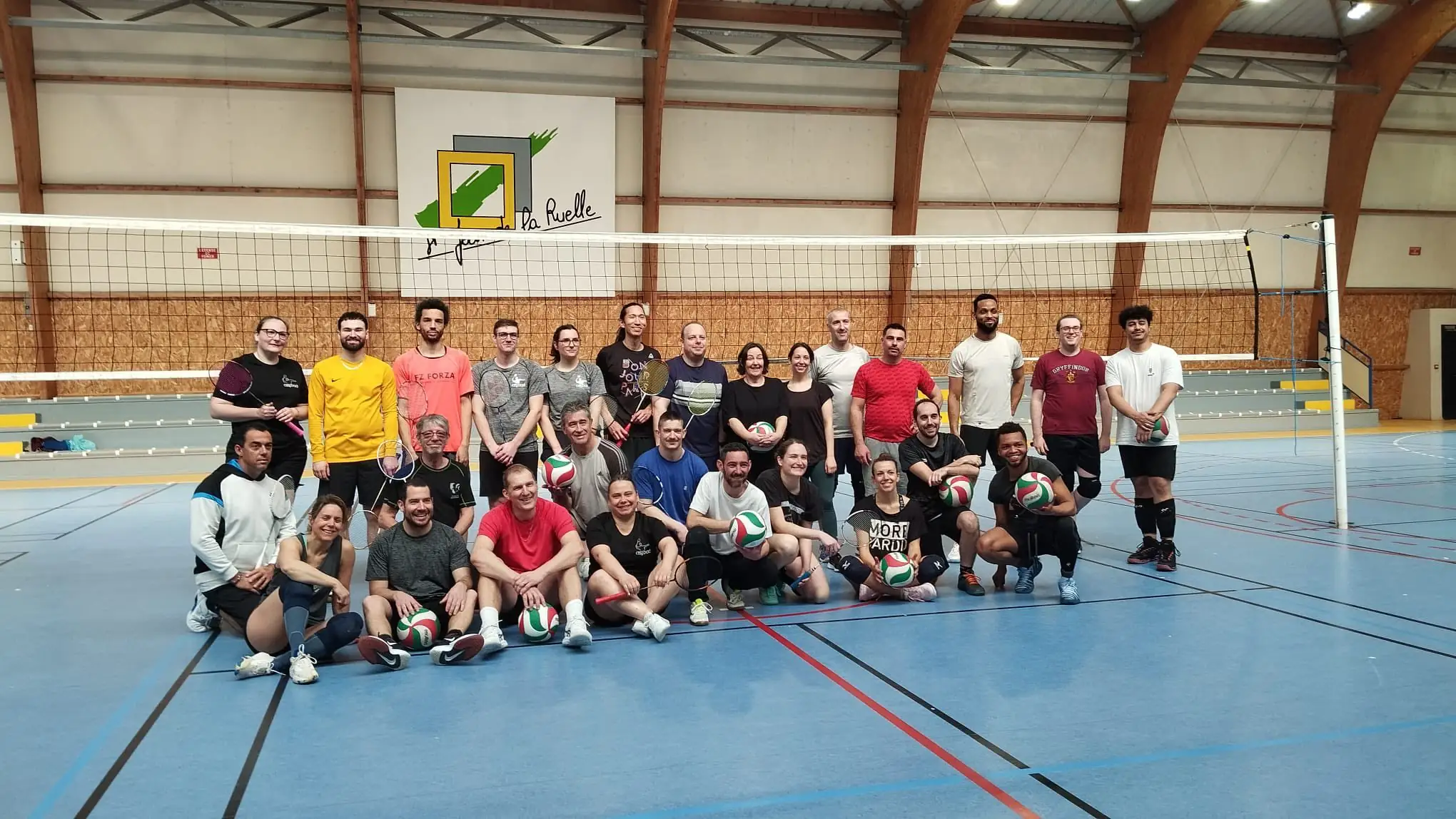
ASJ BADMINTON – JOURNÉE INTERSECTIONS BADMINTON – VOLLEY-BALL
— Post FB du 08/03/2026 —
🏸🏐 Retour sur notre journée inter-sections !
Quand le badminton rencontre le volley, cela donne une belle journée placée sous

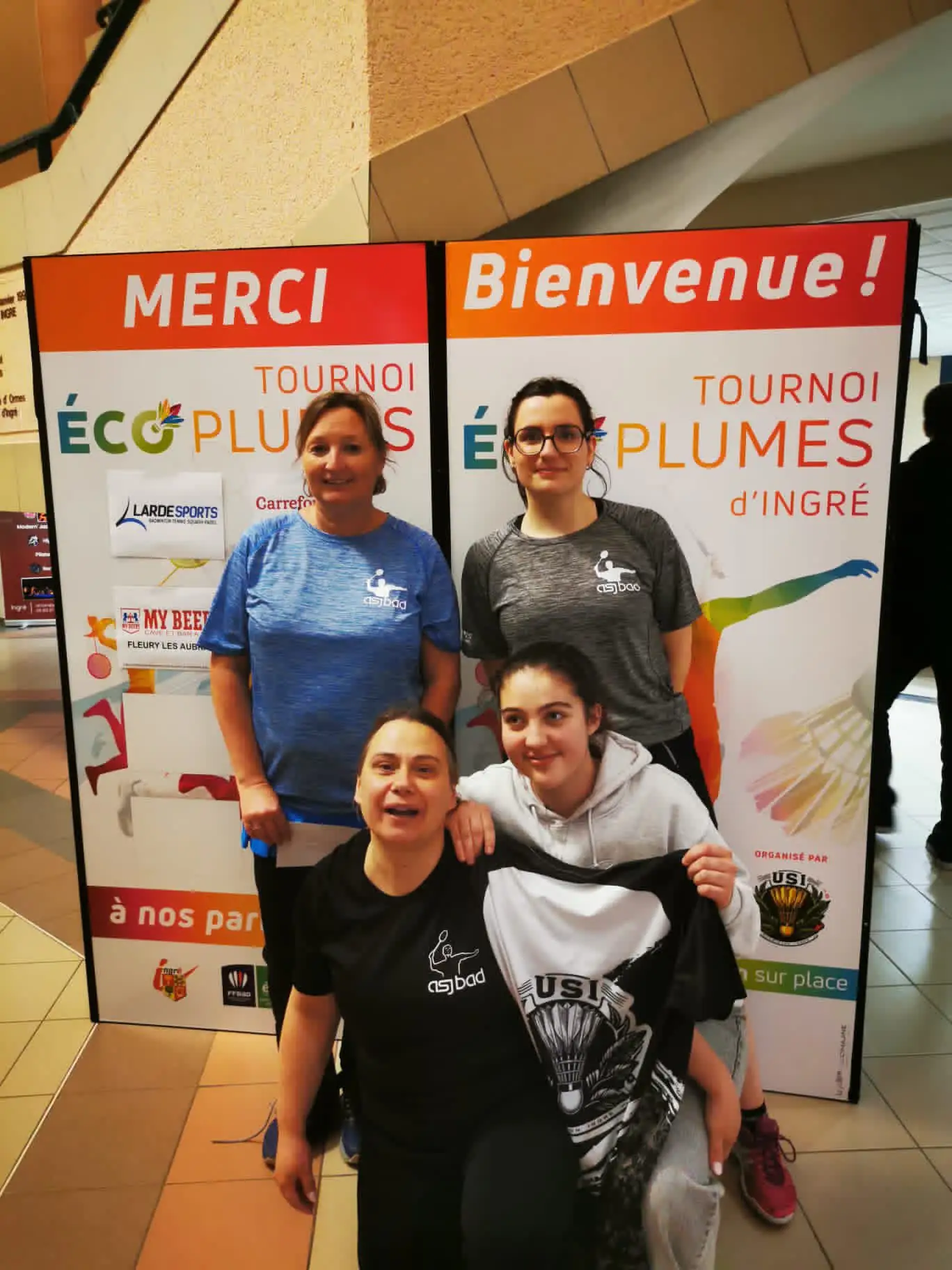
ASJ BADMINTON – RÉSULTATS DU WE — 28 fev. 01 mars 2026
— Post FB du 02/03/2026 —
Résultats du week-end :
Tournoi d’Ingré :
– Maëlys et Valérie vainqueurs 🥇 🏆 DD S4
– Marjory et Alycia (USI) 2ème 🥈 DD S4

ASJ BADMINTON – RÉSULTATS DU WE — 14-15 fev. 2026
— Post FB du 16/02/2026 —
Résultats du week-end :
Tournoi de Limoges :
– Audrey et Noëlle (ABS46) finalistes 🥈 DD S5…
Module : bouton
Ajoutez facilement des boutons n’importe où sur votre page. À l’aide des paramètres de conception avancés de Divi, il existe d’innombrables styles de boutons différents qui peuvent être créés
Que serait une page web sans bouton ? Sans appel à l’action ? Indispensables dans une page de vente par exemple, le module bouton de Divi vous permettra de choisir la couleur de l’arrière-plan, la couleur et l’épaisseur de la bordure, d’ajouter une animation et même une icône. Sans oublier la forme des angles : carrés, arrondis ou totalement ronds.
Module : carte
Le module Blog est disponible dans deux mises en page différentes, 1 colonne et maçonnerie, et est livré avec 5 types de publications personnalisés. Grâce à la puissance de Divi, vous pouvez ajouter des articles de blog où vous le souhaitez sur votre site.
Le module carte de Divi permet d’afficher une Google Map personnalisée. Certaines fois, vous n’aurez pas besoin de ce module et vous pourrez intégrer une carte simplement à l’aide de son URL dans un module de texte… à tester !
Module : chercher
Le bouton Chercher propose la fonctionnalité de « search on site ». En ajoutant ce module à votre layout, vous permettrez à vos visiteurs de faire une recherche par mot-clé au sein de votre contenu. En plus, vous pourrez exclure certains contenus inappropriés.
Module : code
Parfois, vous aurez besoin d’ajouter des bouts de code au sein de votre contenu. Il peut s’agir de code HTML, CSS ou même Javascript. Le genre de code que l’on insère généralement dans le header d’une page web.
Le module Code de Divi vous permettra de faire cela facilement. Cela peut être un atout majeur lorsque vous souhaiter importer/exporter des layouts tout-prêts avec certaines fonctionnalités embarquées.
Attention, par mesure de sécurité, seul un utilisateur avec le statut d’administrateur pourra ajouter ce genre de code.
De plus, pour que ce code fonctionne, vous devrez le créer dans un éditeur de texte et le minifier (tout sur la même ligne / pas de saut de ligne).
Pour en savoir plus, découvrez comment se servir du module Code.
Module : commentaire
Le module Commentaires de Divi vous permet d’insérer une fonctionnalité de commentaire n’importe où sur votre page. Cela évite à votre lecteur de descendre en fin d’article pour vous laisser un message. Est-ce une bonne idée ? À voir…
Module : compteur barre
Ce module permet d’afficher des barres de progression avec une animation en « lazy-load ». C’est idéal pour afficher des compétences, sous forme de barre de pourcentage. Par exemple : WordPress 90%, Javascript 80%, HTML 95%, CSS 95% etc. Le rendu sera optimisé si vos pourcentages sont différents.
- Votre titre va ici 50%
Module : compteur cercle
C’est une autre manière d’afficher vos compétences. Au lieu de les arborer sous forme de barre, ce module de Divi vous permet de les afficher sous forme de cercle, avec le pourcentage au centre. Une animation en « lazy load » permet de remplir le cercle dans le sens des aiguilles d’une montre.
%
Votre titre va ici
Module : compteur nombre
Cette autre manière d’afficher vos compétences vous permettra d’afficher également n’importe quel autre chiffre. Vous ne serez pas obligé d’utiliser des pourcentages.
Par exemple, une agence web pourrait l’utiliser pour afficher le nombre de projets réalisés, le nombre de clients, le nombre de café bus etc.
%
Votre titre va ici
Module : compteur à rebours
Le module compte à rebours permet d’afficher un timer visuel avec décompte.
C’est idéal pour créer l’engouement dans une page « coming soon », lors d’un lancement de produit ou pour annoncer l’ouverture prochaine de votre site.
Votre titre va ici
Jour(s)
:
Heure(s)
:
Minute(s)
:
Seconde(s)
Module : curseur de défilement des posts
C’est une sorte de slider qui fait défiler certains de vos articles. Vous pourrez paramétrer le type d’article à afficher, l’animation automatique, la rapidité etc.
Vous pourrez également ajouter des options comme l’effet parallaxe qui donne un effet sympa au slider.







Module : curseur de défilement vidéo
Le module Curseur de défilement vidéo permet d’afficher un slider de plusieurs vidéos. Comme pour le slider de posts, vous pourrez régler certains paramètres afin de personnaliser son affichage.
Module : diapo
Le module Diapo est tout simplement un « Slider ». Vous pourrez le placer où vous le souhaitez et surtout, vous pourrez mixer les images avec les vidéos.
Vous pourrez également activer l’option parallaxe qui donne toujours un effet très sympa. Sur chaque slide, vous pourrez ajouter du texte et un bouton d’appel à l’action.
Module : email optin
Module : en-tête
Votre titre va ici
Module : formulaire de contact
Module : galerie
1
2
3
4
5
Module : icon
Module : image
Module : navigation dans les posts
Module : onglets
Your content goes here. Edit or remove this text inline or in the module Content settings. You can also style every aspect of this content in the module Design settings and even apply custom CSS to this text in the module Advanced settings.
Your content goes here. Edit or remove this text inline or in the module Content settings. You can also style every aspect of this content in the module Design settings and even apply custom CSS to this text in the module Advanced settings.
Module : password box
Password box
Module : personne

Le nom va ici
Poste
Your content goes here. Edit or remove this text inline or in the module Content settings. You can also style every aspect of this content in the module Design settings and even apply custom CSS to this text in the module Advanced settings.
Module : php code
PHP Code
Module : portefeuille
Aucun résultat
La page demandée est introuvable. Essayez d'affiner votre recherche ou utilisez le panneau de navigation ci-dessus pour localiser l'article.
Module : portefeuille filtrable
Aucun résultat
La page demandée est introuvable. Essayez d'affiner votre recherche ou utilisez le panneau de navigation ci-dessus pour localiser l'article.
Module : QR Code
Titre
Module : recette
Your content goes here. Edit or remove this text inline or in the module Content settings. You can also style every aspect of this content in the module Design settings and even apply custom CSS to this text in the module Advanced settings.
Ceci est une description de la recette.
» _builder_version= »4.27.4″ _module_preset= »default » global_colors_info= »{} » _i= »2″ _address= »0.33.0.2″ /]
Module : résumé

Votre titre va ici
Your content goes here. Edit or remove this text inline or in the module Content settings. You can also style every aspect of this content in the module Design settings and even apply custom CSS to this text in the module Advanced settings.
Your content goes here. Edit or remove this text inline or in the module Content settings. You can also style every aspect of this content in the module Design settings and even apply custom CSS to this text in the module Advanced settings.
Module : se connecter
Your content goes here. Edit or remove this text inline or in the module Content settings. You can also style every aspect of this content in the module Design settings and even apply custom CSS to this text in the module Advanced settings.
Module : Show / Hide button
Your content goes here. Edit or remove this text inline or in the module Content settings. You can also style every aspect of this content in the module Design settings and even apply custom CSS to this text in the module Advanced settings.
Module : suivez-nous sur les réseaux sociaux
Your content goes here. Edit or remove this text inline or in the module Content settings. You can also style every aspect of this content in the module Design settings and even apply custom CSS to this text in the module Advanced settings.
Module : supreme advanced tabs
Your content goes here. Edit or remove this text inline or in the module Content settings. You can also style every aspect of this content in the module Design settings and even apply custom CSS to this text in the module Advanced settings.
Module : Supreme animated gradient text
Supreme animated gradient text
Your content goes here. Edit or remove this text inline or in the module Content settings. You can also style every aspect of this content in the module Design settings and even apply custom CSS to this text in the module Advanced settings.
Module : supreme before/after image slider
Your content goes here. Edit or remove this text inline or in the module Content settings. You can also style every aspect of this content in the module Design settings and even apply custom CSS to this text in the module Advanced settings.
Module : supreme blog shape image
Your content goes here. Edit or remove this text inline or in the module Content settings. You can also style every aspect of this content in the module Design settings and even apply custom CSS to this text in the module Advanced settings.
Module : supreme block reveal image
Your content goes here. Edit or remove this text inline or in the module Content settings. You can also style every aspect of this content in the module Design settings and even apply custom CSS to this text in the module Advanced settings.
Module : supreme Block Reveal Text
Block Reveal Text
Your content goes here. Edit or remove this text inline or in the module Content settings. You can also style every aspect of this content in the module Design settings and even apply custom CSS to this text in the module Advanced settings.
Module : supreme blog carousel
ASJ – CA – DATE-S DU/DES PROCHAIN-S
Date.s du/des prochain.s CA
ASJ – INSCRIPTIONS TOUTES SECTIONS
Inscriptions à l'Alerte Saint Jean Explications des formalités à remplir pour s'inscrire à une section de l'Alerte Saint Jean
ASJ – ASSEMBLÉE GÉNÉRALE ORDINAIRE ET EXTRAORDINAIRE – LIVRET DE L’AG du jeudi 27 novembre 2025
Bonjour Vous trouverez ci-contre le livret de l’AG du jeudi 16 novembre 2023, avec le rapport moral du président de l’ASJ et les rapports d’activités des sections.

ASJ BADMINTON – INVITATION 14ᵉ TOURNOI LES 30 NOV. ET 01 DEC. 2024
-- Post FB du 14/08/2024 -- L'Alerte Saint Jean est heureuse de vous inviter à son 14ème tournoi des 30 novembre et 1er décembre 2024. En TOP de NC à R4 Le samedi : simple ou mixte ...
ASJ – CONTRAT D’ENGAGEMENT RÉPUBLICAIN
L'Association Alerte Saint jean déclarée à la préfecture du Loiret sous le numéro W452000596 s’engage à respecter le présent contrat d’engagement républicain. L’association a son siège social ...
ASJ BADMINTON – RÉSULTATS DU WE — 14-15 fev. 2026
-- Post FB du 16/02/2026 -- Résultats du week-end : Tournoi de Limoges : - Audrey et Noëlle (ABS46) finalistes 🥈 DD S5…
ASJ BADMINTON – RÉSULTATS DU CHAMPIONNAT DÉPARTEMENTAL PAR SÉRIES
-- Post FB du 09/02/2026 -- Résultats du championnat départemental par séries : - Hugo champion 🥇🏆 SH série D - Luca champion 🥇🏆 SH
ASJ BADMINTON – RÉSULTATS DU WE — 31 jan.et 01 fev. 2026
-- Post FB du 06/02/2026 -- Résultat du week-end dernier : Interclubs : l’équipe D3A recevait Trainou, score de parité 4-4 Tournoi nocturne de Gidy :
ASJ PRESSE – UN BEL ENGOUEMENT POUR LA BACHATA
-- Article du 05/02/2026 -- Le stage de bachata (prononcer batchata) affichait complet, dimanche, au gymnase Maurice-Millet, ce qui n’était pas pour déplaire à Kristel Pallot, professeure de danse, même si ce n’est pas de gaieté de cœur qu’elle a dû refuser des postulants.
ASJ BADMINTON – RESULTATS DU WE — 24-25 jan. 2026
-- Post FB du 26/01/2026 -- Résultats du week-end : Tournoi de Bretenoux : - Audrey et Nadine (ABS46) vainqueurs 🏆 🥇 DD S2

ASJ BADMINTON – RÉSULTATS DES INTERCLUBS DU WEEK-EN DERNIER
-- Post FB du 21/01/2026 -- Résultats des interclubs du week-end dernier : - L’équipe D-Loisirs recevait vendredi l’USOPOC et perd 3-4...
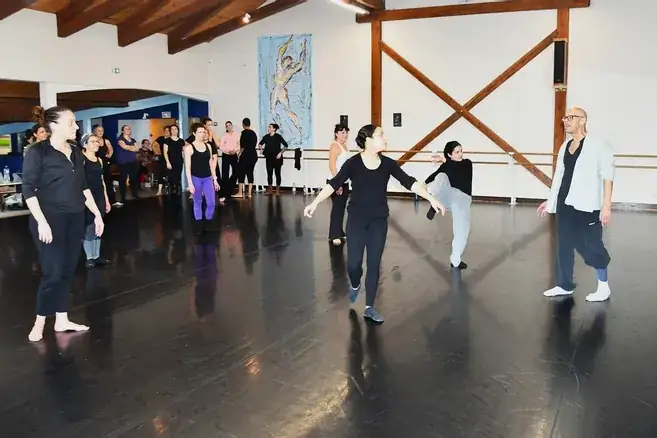
ASJ PRESSE – BRUCE TAYLOR, INVITÉ DE L’ALERTE SAINT JEAN
-- Article du 21/06/2026 -- Bruce Taylor, invité de l’Alerte Saint-Jean ...

ASJ BADMINTON – RETOURS SUR LES DERNIERS RÉSULTATS
-- Post FB du 11/01/2026 -- Retour sur les derniers résultats : Interclubs : - Jeudi notre équipe D3B se rendait à Gidy et rentre avec la victoire 3-5

ASJ BADMINTON – RÉSULTATS INTERCLUBS
-- Post FB du 28/12/2025 -- Retour sur les derniers résultats : Interclubs : - Le 19 décembre notre D4 recevait Olivet et s'impose 6-1 ...
ASJ BADMINTON – RESULTATS INTERCLUBS
-- Post FB du 15/12/2025 -- Résultats du week-end : Retour sur les derniers résultats des interclubs : - La D-Loisirs était en déplacement à Semoy le 1er décembre, défaite 4-3. - La D3A en déplacement également à cette même date s’incline 6-2
Your content goes here. Edit or remove this text inline or in the module Content settings. You can also style every aspect of this content in the module Design settings and even apply custom CSS to this text in the module Advanced settings.
Module : supreme Breadcrumbs
Your content goes here. Edit or remove this text inline or in the module Content settings. You can also style every aspect of this content in the module Design settings and even apply custom CSS to this text in the module Advanced settings.
Module : supreme business hours
Your content goes here. Edit or remove this text inline or in the module Content settings. You can also style every aspect of this content in the module Design settings and even apply custom CSS to this text in the module Advanced settings.
Module : supreme button
Your content goes here. Edit or remove this text inline or in the module Content settings. You can also style every aspect of this content in the module Design settings and even apply custom CSS to this text in the module Advanced settings.
Module : supreme caldera forms
Your content goes here. Edit or remove this text inline or in the module Content settings. You can also style every aspect of this content in the module Design settings and even apply custom CSS to this text in the module Advanced settings.
Module : supreme card
Title
Your content goes here. Edit or remove this text inline or in the module Content settings. You can also style every aspect of this content in the module Design settings and even apply custom CSS to this text in the module Advanced settings.
Module : supreme card carousel
Your content goes here. Edit or remove this text inline or in the module Content settings. You can also style every aspect of this content in the module Design settings and even apply custom CSS to this text in the module Advanced settings.
Module : supreme circle info
Title 1
Your content goes here. Edit or remove this text inline or in the module Content settings. You can also style every aspect of this content in the module Design settings and even apply custom CSS to this text in the module Advanced settings.
Module : supreme contact form 7
Your content goes here. Edit or remove this text inline or in the module Content settings. You can also style every aspect of this content in the module Design settings and even apply custom CSS to this text in the module Advanced settings.
Module :
Your content goes here. Edit or remove this text inline or in the module Content settings. You can also style every aspect of this content in the module Design settings and even apply custom CSS to this text in the module Advanced settings.
Module :
Your content goes here. Edit or remove this text inline or in the module Content settings. You can also style every aspect of this content in the module Design settings and even apply custom CSS to this text in the module Advanced settings.
Module :
Your content goes here. Edit or remove this text inline or in the module Content settings. You can also style every aspect of this content in the module Design settings and even apply custom CSS to this text in the module Advanced settings.
Module :
Your content goes here. Edit or remove this text inline or in the module Content settings. You can also style every aspect of this content in the module Design settings and even apply custom CSS to this text in the module Advanced settings.
Module :
Your content goes here. Edit or remove this text inline or in the module Content settings. You can also style every aspect of this content in the module Design settings and even apply custom CSS to this text in the module Advanced settings.
Module :
Your content goes here. Edit or remove this text inline or in the module Content settings. You can also style every aspect of this content in the module Design settings and even apply custom CSS to this text in the module Advanced settings.
Module :
Your content goes here. Edit or remove this text inline or in the module Content settings. You can also style every aspect of this content in the module Design settings and even apply custom CSS to this text in the module Advanced settings.
Module :
Your content goes here. Edit or remove this text inline or in the module Content settings. You can also style every aspect of this content in the module Design settings and even apply custom CSS to this text in the module Advanced settings.
Module :
Your content goes here. Edit or remove this text inline or in the module Content settings. You can also style every aspect of this content in the module Design settings and even apply custom CSS to this text in the module Advanced settings.
Module :
Your content goes here. Edit or remove this text inline or in the module Content settings. You can also style every aspect of this content in the module Design settings and even apply custom CSS to this text in the module Advanced settings.
Module :
Your content goes here. Edit or remove this text inline or in the module Content settings. You can also style every aspect of this content in the module Design settings and even apply custom CSS to this text in the module Advanced settings.
Module :
Your content goes here. Edit or remove this text inline or in the module Content settings. You can also style every aspect of this content in the module Design settings and even apply custom CSS to this text in the module Advanced settings.
Module :
Your content goes here. Edit or remove this text inline or in the module Content settings. You can also style every aspect of this content in the module Design settings and even apply custom CSS to this text in the module Advanced settings.
Module :
Your content goes here. Edit or remove this text inline or in the module Content settings. You can also style every aspect of this content in the module Design settings and even apply custom CSS to this text in the module Advanced settings.
Module :
Your content goes here. Edit or remove this text inline or in the module Content settings. You can also style every aspect of this content in the module Design settings and even apply custom CSS to this text in the module Advanced settings.
Module :
Your content goes here. Edit or remove this text inline or in the module Content settings. You can also style every aspect of this content in the module Design settings and even apply custom CSS to this text in the module Advanced settings.
Module :
Your content goes here. Edit or remove this text inline or in the module Content settings. You can also style every aspect of this content in the module Design settings and even apply custom CSS to this text in the module Advanced settings.
Module :
Your content goes here. Edit or remove this text inline or in the module Content settings. You can also style every aspect of this content in the module Design settings and even apply custom CSS to this text in the module Advanced settings.
Module :
Your content goes here. Edit or remove this text inline or in the module Content settings. You can also style every aspect of this content in the module Design settings and even apply custom CSS to this text in the module Advanced settings.
Module :
Your content goes here. Edit or remove this text inline or in the module Content settings. You can also style every aspect of this content in the module Design settings and even apply custom CSS to this text in the module Advanced settings.
Module :
Your content goes here. Edit or remove this text inline or in the module Content settings. You can also style every aspect of this content in the module Design settings and even apply custom CSS to this text in the module Advanced settings.
Module :
Your content goes here. Edit or remove this text inline or in the module Content settings. You can also style every aspect of this content in the module Design settings and even apply custom CSS to this text in the module Advanced settings.
Module :
Your content goes here. Edit or remove this text inline or in the module Content settings. You can also style every aspect of this content in the module Design settings and even apply custom CSS to this text in the module Advanced settings.
Module :
Your content goes here. Edit or remove this text inline or in the module Content settings. You can also style every aspect of this content in the module Design settings and even apply custom CSS to this text in the module Advanced settings.
Module :
Your content goes here. Edit or remove this text inline or in the module Content settings. You can also style every aspect of this content in the module Design settings and even apply custom CSS to this text in the module Advanced settings.
Module :
Your content goes here. Edit or remove this text inline or in the module Content settings. You can also style every aspect of this content in the module Design settings and even apply custom CSS to this text in the module Advanced settings.
Module :
Your content goes here. Edit or remove this text inline or in the module Content settings. You can also style every aspect of this content in the module Design settings and even apply custom CSS to this text in the module Advanced settings.
Module :
Your content goes here. Edit or remove this text inline or in the module Content settings. You can also style every aspect of this content in the module Design settings and even apply custom CSS to this text in the module Advanced settings.
0 commentaires